BYO
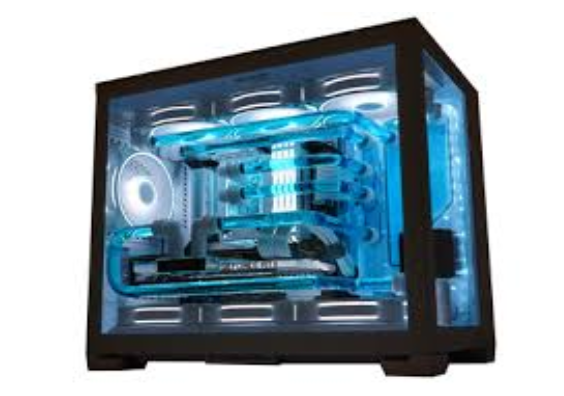
Build It Your Way
Create the ultimate PC tailored to your needs. From the GPU to the case, choose every part yourself for maximum performance, style, and value. Whether you’re gaming, streaming, or working, your custom build will be 100% yours — inside and out.
Select your parts and build your dream PC! Compare CPUs, GPUs, motherboards, and more with our expert guidance.

- Install the CPU
- Open the CPU socket on the motherboard.
- Carefully place the CPU in, matching the arrow markers.
- Lock it in place with the socket arm.
- Prepare Your Workspace
- Find a clean, flat surface with plenty of light.
- Gather tools (usually just a Phillips-head screwdriver).
- Ground yourself to avoid static electricity.
- Add the RAM (Memory)
- Open the RAM slots on the motherboard.
- Line up the notches and press the sticks firmly until they click.
- Install the CPU Cooler
- Apply thermal paste (if it’s not pre-applied).
- Mount the cooler according to its instructions.
- Plug the cooler’s cable into the CPU fan header.
- Mount the Motherboard
- Place the I/O shield into the case.
- Screw in the motherboard standoffs.
- Carefully place the motherboard and secure it with screws.
- Install Storage (SSD/HDD)
- For M.2 SSDs: slide into the motherboard slot and secure with a screw.
- For SATA drives: mount into the case drive bays and connect cables.
- Install the Power Supply (PSU)
- Place the PSU in its spot (usually bottom or top of case).
- Screw it in and route the cables neatly.
- Install the GPU (Graphics Card)
- Remove the correct expansion slot covers from the case.
- Insert the GPU into the PCIe slot on the motherboard until it clicks.
- Screw it in for stability.
- Connect Cables
- Power cables: 24-pin motherboard, 8-pin CPU, GPU power cables.
- Data cables: SATA for HDD/SSD if needed.
- Front panel connectors: power button, USB ports, audio, etc.
- Final Steps
- Check that all cables are connected and secure.
- Close up the case.
- Connect your monitor, keyboard, and mouse.
- Turn on the PC and enter the BIOS to check everything is detected.
- Install your operating system (Windows/Linux).
- Install all of the drivers (Motherboard and GPU)